Organize teams and routing
A team groups together a set of agents and the channels they answer on, so conversations reach the right specialists. Each team card shows how many agents and channels belong to it. Use this page to review your teams and update a team’s name or description when ownership or responsibilities change.
Before you begin
- You are signed in as a workspace admin.
- At least one team exists in your workspace.
Steps
- Open Settings, then go to Teams.
- Review your teams and the number of AGENTS and CHANNELS on each team card.
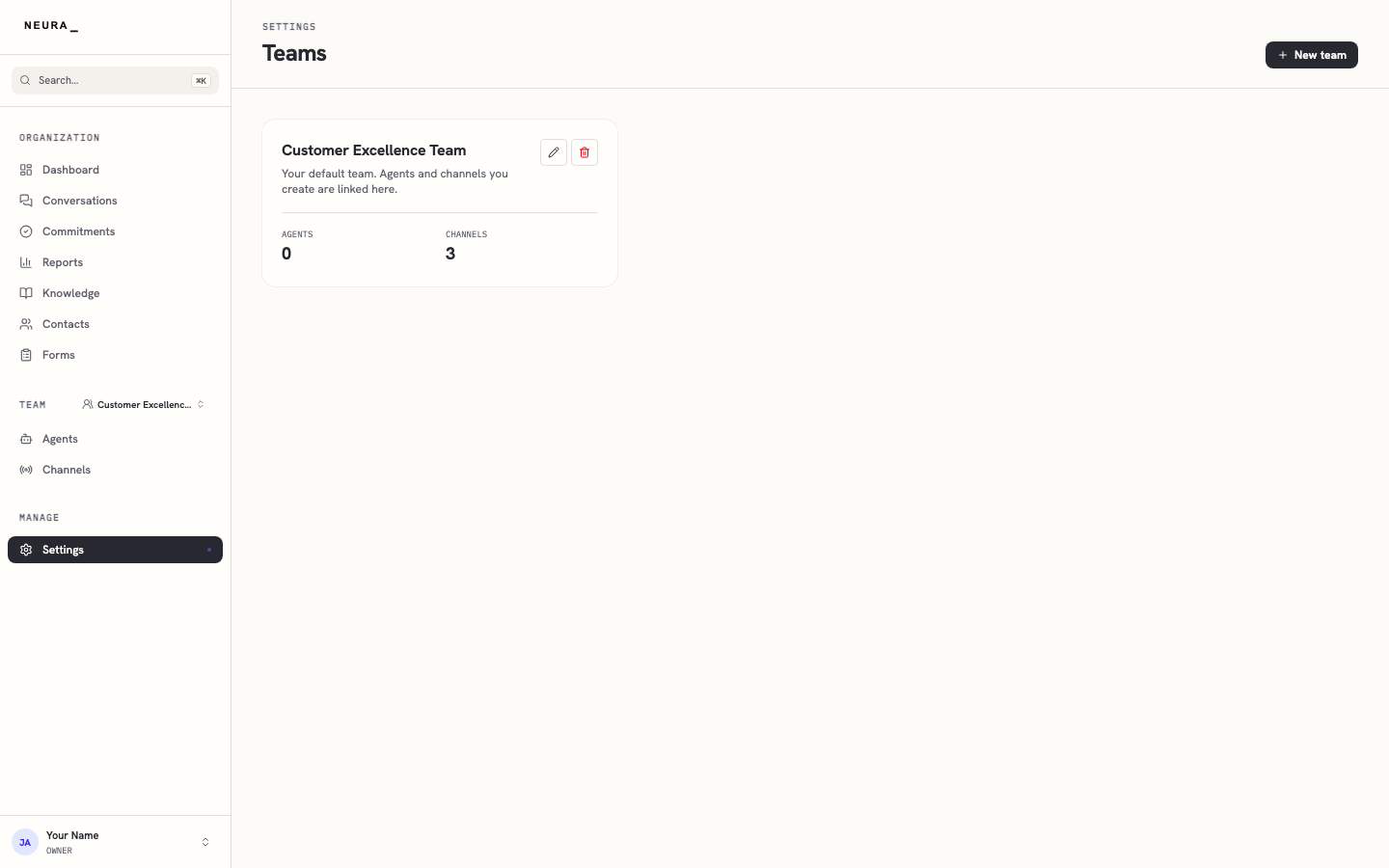
- Click Edit on the team you want to change.
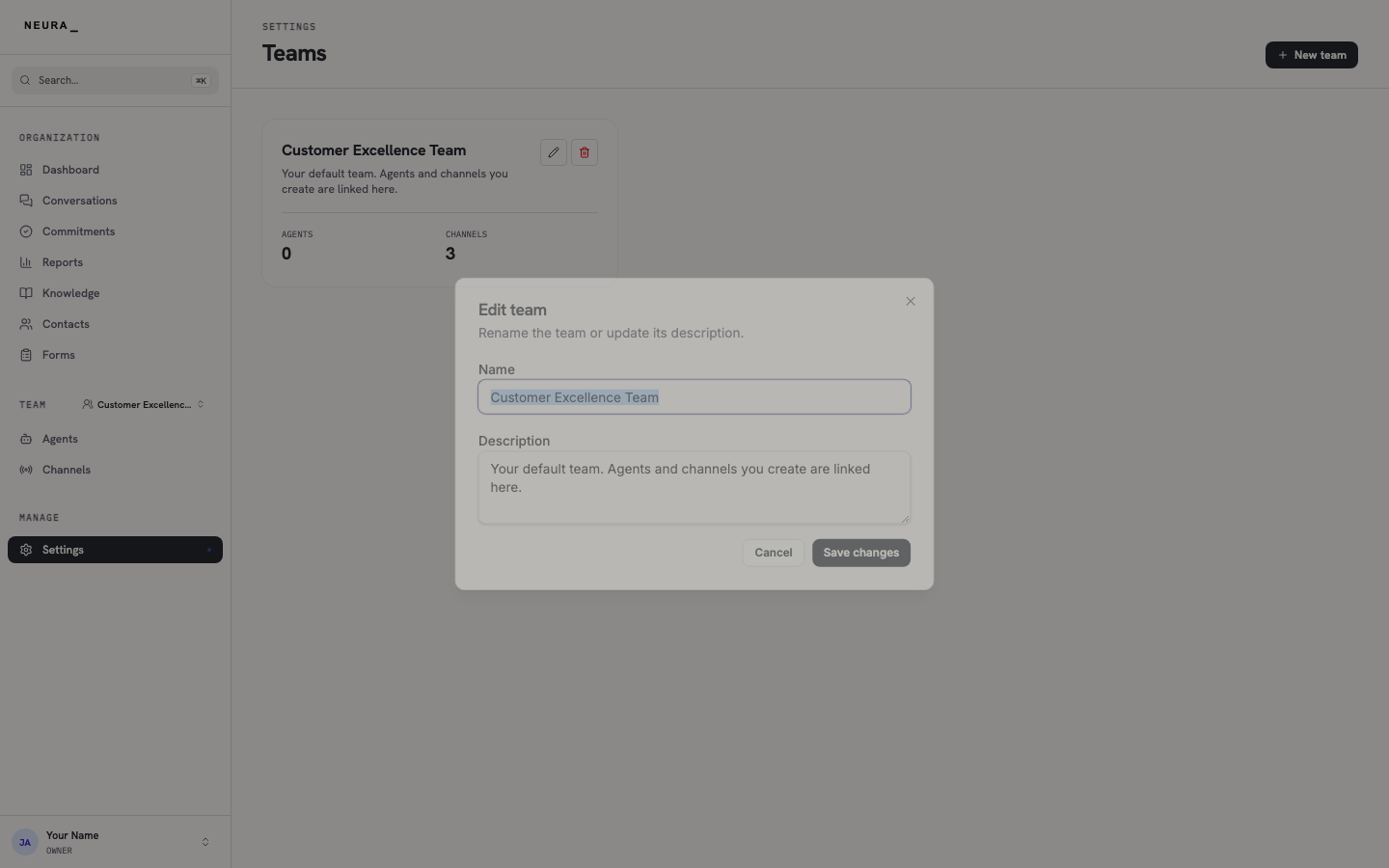
- Update the Name and Description, then click Save changes.
You’ll know it worked when
The Edit team dialog lets you change the team’s name and description; your changes appear on the team card once you click Save changes.